
Download Disk Cleaner Suite – Free Secure Disk Optimization Tool for Windows & Mac
Overview
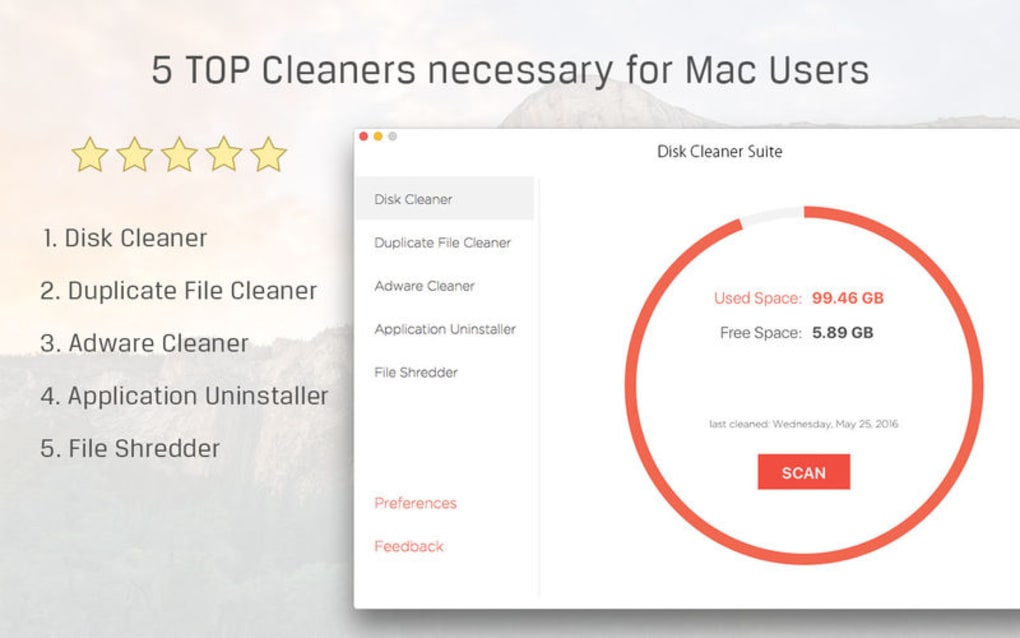
Disk Cleaner Suite is a bespoke software application designed to reclaim hard‑drive space, boost system performance, and protect your computer from hidden threats. Packaged as a collection of five tightly integrated optimization apps, the suite goes beyond simple file deletion. It actively scans for spyware, removes duplicate files, and cleans residual junk left by installed programs.
The result is a leaner, faster, and more secure PC or Mac that runs smoother for everyday tasks, gaming, and professional workloads. Because the suite works on both Windows and macOS platforms, users can enjoy a unified experience across multiple devices without needing separate tools. Its intuitive interface lets even non‑technical users launch a full system scan with a single click, while power users can fine‑tune each module for granular control.
Disk Cleaner Suite also receives regular automatic updates, ensuring that the latest threat definitions and performance‑enhancing algorithms are always at your fingertips. Whether you’re looking to free up gigabytes of valuable storage, speed up boot times, or simply maintain a clean digital environment, Disk Cleaner Suite delivers a comprehensive, secure, and user‑friendly solution that rivals many paid alternatives on the market.
Key Features of Disk Cleaner Suite
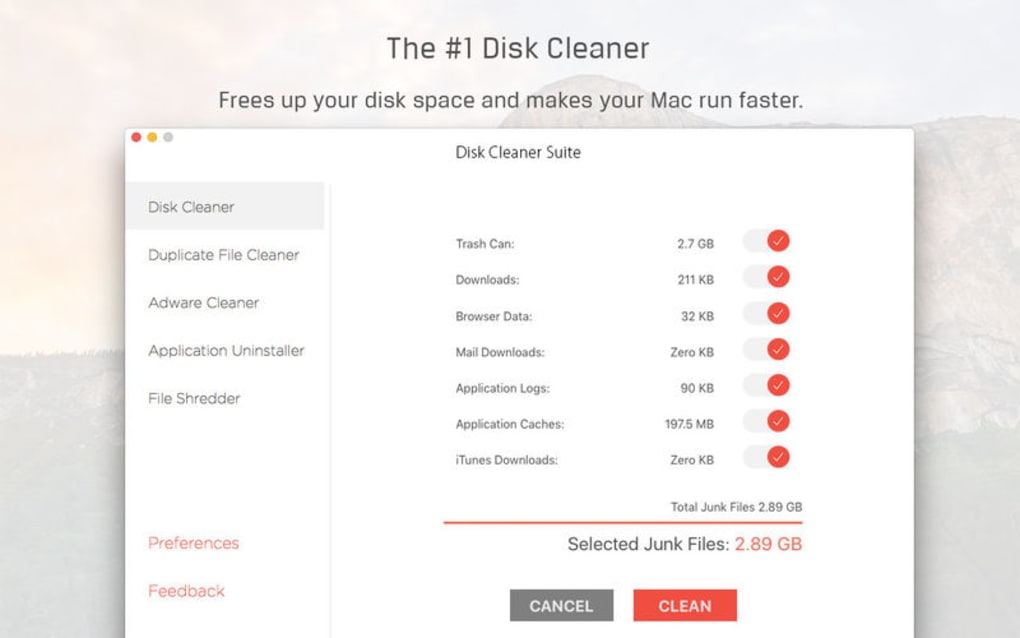
- Space Reclamation Engine: Deep scan of system files, temporary folders, and browser caches to identify and safely delete unused data, freeing up to 30 % of hard‑drive space on average.
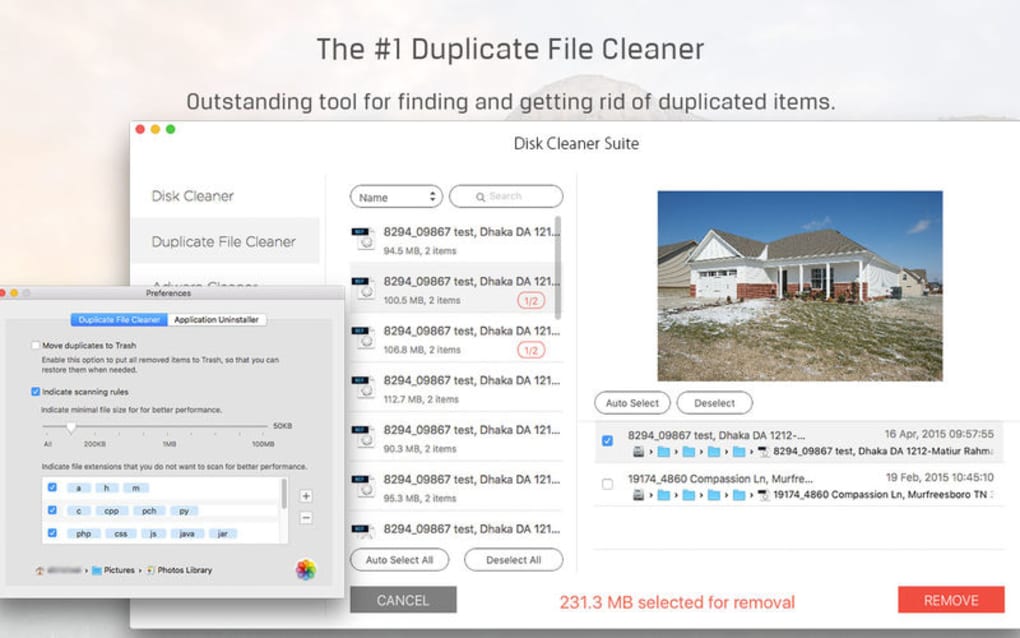
- Duplicate File Finder: Advanced hash‑based comparison that locates identical photos, videos, and documents, offering one‑click removal to eliminate redundancy.
- Spyware & Threat Detector: Real‑time scanning powered by an up‑to‑date threat database that spots spyware, adware, and potentially unwanted programs before they can compromise privacy.
- Registry & System Optimizer (Windows only): Cleans obsolete registry entries, repairs broken shortcuts, and optimizes startup services for faster boot times.
- Scheduled Maintenance: Customizable automation that runs cleaning cycles at user‑defined intervals, keeping the system perpetually optimized without manual intervention.
- One‑Click Quick Clean: A streamlined dashboard button that launches a rapid scan of the most common junk locations, delivering instant performance gains.
- Secure Deletion Mode: Overwrites deleted files with random data to prevent recovery, ideal for users handling sensitive information.
- Multi‑Language Support: Available in English, Spanish, French, German, and Japanese, ensuring global accessibility.
- Lightweight Installer: Under 25 MB download size, quick installation, and minimal background resource consumption.
- Regular Free Updates: Automatic patching that adds new cleaning rules, improves detection algorithms, and maintains compatibility with the latest OS releases.
Installation, Setup & Daily Usage Guide
Getting Disk Cleaner Suite up and running is a straightforward process that takes less than five minutes on both Windows and macOS. Follow these steps for a smooth installation:
- Download the Installer: Click the “Download Now” button on the official website. The file is a signed executable for Windows (.exe) and a disk image for Mac (.dmg), both of which are scanned by major antivirus engines for safety.
- Run the Installer: On Windows, double‑click the .exe file and follow the wizard prompts—accept the license agreement, choose the destination folder (default is C:\Program Files\DiskCleanerSuite), and click “Install.” On macOS, open the .dmg, drag the Disk Cleaner Suite icon into the Applications folder, and launch the app.
- Initial Configuration: The first launch triggers a brief welcome tour that explains each of the five modules. You can opt to run an automatic “Full Scan” or customize which components to activate (e.g., disable the Registry Optimizer if you’re on macOS).
- Set Up Scheduled Maintenance: Navigate to Settings → Scheduler. Here you can select daily, weekly, or monthly cleaning cycles, specify the time of day, and choose whether to receive email notifications upon completion.
- Perform a Quick Clean: For immediate results, click the large green “Quick Clean” button on the dashboard. The suite will scan common junk locations (temporary files, recycle bin, browser cache) and present a summary with a one‑click “Delete All” option.
- Review Detailed Reports: After each scan, a detailed log appears under the “History” tab. It lists reclaimed space, detected threats, and duplicate files found. You can export this report as a CSV for record‑keeping.
- Update Management: Disk Cleaner Suite checks for updates automatically at startup. If an update is available, a discreet banner appears, allowing you to install the latest version without losing your settings.
The user interface follows modern design principles: a clean dark‑mode friendly layout, contextual tooltips, and progress bars that keep you informed during lengthy scans. Whether you’re a casual home user who runs a quick clean once a month, or an IT administrator managing multiple workstations, Disk Cleaner Suite adapts to your workflow while maintaining a low memory footprint—typically under 100 MB during active scans.
Compatibility, Pros & Cons
Disk Cleaner Suite is officially compatible with the following operating systems:
- Windows 10, Windows 11 (64‑bit)
- macOS Catalina (10.15) and later (Intel & Apple Silicon)
While the suite is not designed for mobile platforms such as Android or iOS, its web‑based dashboard can be accessed from any modern browser for remote monitoring of scheduled tasks.
Pros
- Comprehensive cleaning covering junk files, duplicates, and spyware in a single package.
- Free to download and use, with no hidden subscription fees.
- Secure deletion and privacy‑focused scanning protect sensitive data.
- Lightweight installer and low runtime memory usage.
- Automatic updates keep the tool current with the latest threat signatures.
- Multi‑language support broadens accessibility.
- Intuitive UI suitable for both beginners and advanced users.
Cons
- No native Android or iOS companion app (limited to desktop platforms).
- Registry optimizer is Windows‑only, which may be a drawback for Mac‑only users.
- Advanced customization (e.g., selective file type exclusion) requires navigating several settings menus.
- Free version does not include priority technical support; paid support is optional.
- Initial full system scan can take up to 30 minutes on heavily fragmented drives.
Frequently Asked Questions
Is Disk Cleaner Suite truly free or are there hidden costs?
Disk Cleaner Suite is completely free to download and use. All core features—including space reclamation, duplicate detection, and spyware scanning—are available without any subscription or one‑time payment. Optional paid support packages are offered for users who need priority assistance, but they do not unlock additional cleaning capabilities.
Can Disk Cleaner Suite remove files from external drives?
Yes. When you connect an external USB, SSD, or HDD, the suite automatically detects the new volume. You can then run a targeted scan on that drive alone, allowing you to clean junk files, remove duplicates, and check for spyware on external storage.
How does the secure deletion mode work?
Secure deletion overwrites the space occupied by a file with random data multiple times (default is three passes). This process makes it virtually impossible for data recovery tools to reconstruct the original content, which is especially useful for confidential documents.
Will Disk Cleaner Suite affect my installed applications?
The suite is designed to be safe. It only removes files identified as unnecessary, such as temporary caches, log files, and duplicates. Critical system files and application binaries are excluded from cleaning unless you explicitly select them in advanced settings. A backup option is also available to restore any mistakenly deleted items within 24 hours.
How often should I run a full scan?
For most users, a monthly full scan is sufficient to keep the system tidy and secure. Power users or those handling large volumes of media files may benefit from a bi‑weekly schedule. The built‑in scheduler lets you automate this without manual intervention.
Conclusion & Call to Action
Disk Cleaner Suite stands out as a versatile, free, and secure solution for anyone looking to reclaim hard‑drive space, eliminate duplicate files, and protect their PC or Mac from hidden spyware. Its five‑in‑one approach eliminates the need for multiple niche utilities, while the lightweight design ensures that system resources remain available for primary tasks. Although it lacks a mobile companion app and the registry optimizer is Windows‑only, these minor gaps are outweighed by the breadth of features, regular updates, and the ease of use that both novices and seasoned tech enthusiasts appreciate. If you’re ready to boost performance, free up valuable storage, and maintain a cleaner digital environment, simply click the button below to download Disk Cleaner Suite now.







